Tabby SFTP Plugin
- Year
- 2026
- Role
- Sole developer
- Status
- internal
A colleague could not use the standard SFTP clients because none of them offer a dark mode; rather than tell them to cope, I built one that does.
- TypeScript
- Tabby
- SFTP
Problem
A colleague needed a dark interface to work comfortably — an accessibility requirement, not a preference. The usual SFTP clients do not accommodate it: neither FileZilla nor WinSCP ships a dark mode.
They also each have half of what the work needed. FileZilla has the two-pane layout people are used to. WinSCP has copy and paste. Neither handles the case that comes up constantly: opening a remote file, editing it, and saving it back without a manual re-upload.
Approach
Tabby is a terminal application with a plugin system, and it is themeable — so the accessibility requirement was solved by the host application, leaving me to build the client itself.
The plugin is a full SFTP browser written in TypeScript, built to what the user actually asked for:
- The two-pane FileZilla-style layout they already knew
- Copy and paste, taken from WinSCP's behaviour rather than reinvented
- Open in editor with save-through — edit a remote file locally, save, and the change goes back to the server with no re-upload step
Outcome
In internal use. It may be released publicly later.
The requirement that drove it is worth restating, because it is easy to file as a cosmetic request: someone could not do their job with the available tools, and the fix was a few days of work rather than a workaround they would have carried indefinitely.
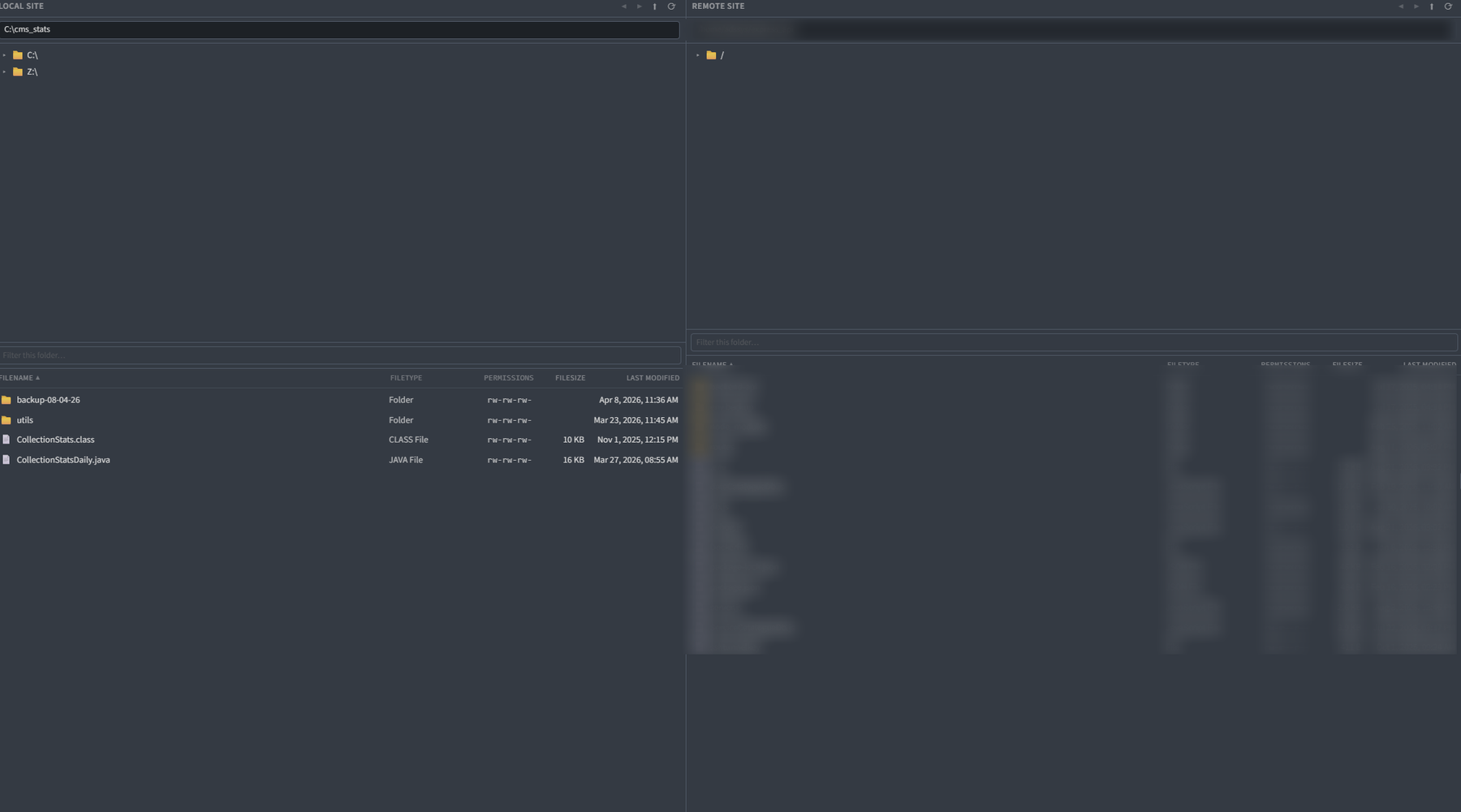
The plugin's two-pane SFTP browser in dark mode, local files left and remote right, with filter, filetype, permissions, size and modified columns